
Introduction:
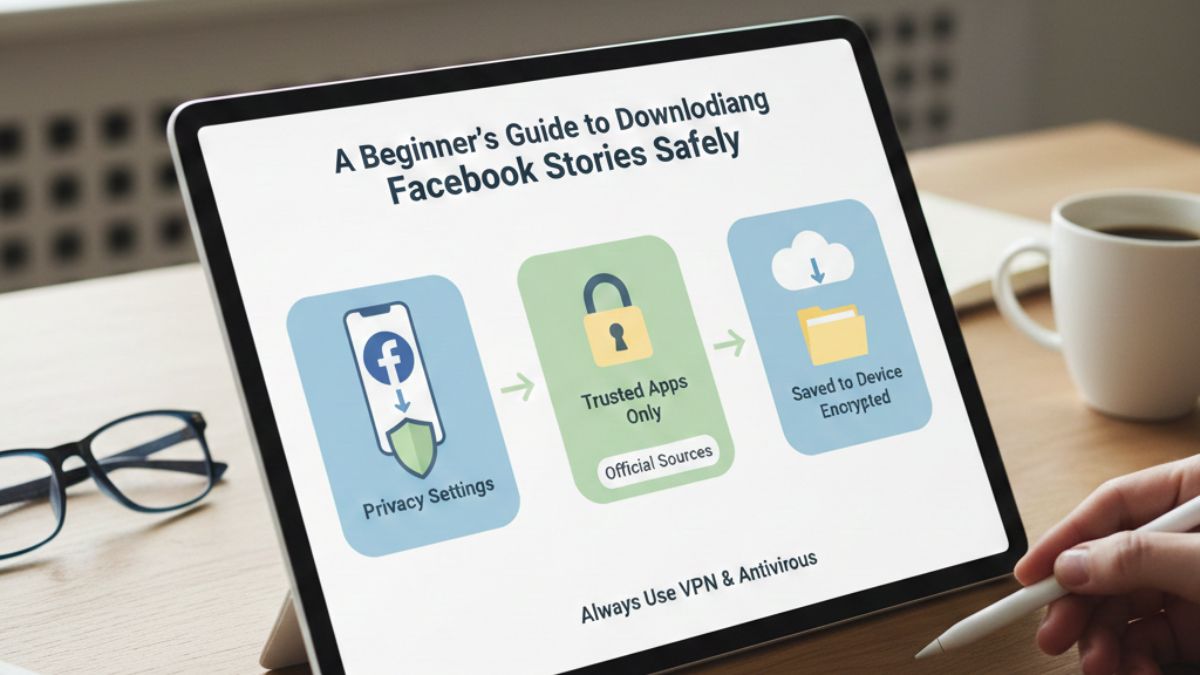
You may see a wide variety of videos getting uploaded on Facebook as post content, reels, or stories. While post content and reels become part of Facebook once they are uploaded, stories, on the other hand, are only available for 24 hours. After this tenure, they automatically vanish from Facebook. If you find any video story useful or noteworthy, you must immediately download it. This is why Downloading Facebook Stories Safely becomes essential—because once the story disappears, you won’t be able to access it again.
Failing to do so means you won’t be able to see it again. However, many Facebook users find it challenging to download video stories from the platform. The core reason behind this phenomenon is their unawareness of some basic methods they can use to download video stories and watch them later, anywhere and anytime.
This article serves as a guide to help such people download video stories from Facebook easily by outlining various methods they can use to do so. Read on to learn more.
1. Multiple Methods to Download Stories
Suppose you are browsing Facebook and watching stories uploaded by profiles and handles of various people and brands. One particular story uploaded by the handle of your company grabs your attention. It shows you alongside your other colleagues having fun at a hill station.
You would definitely want to save the story because you have lost the device with all the memories from that hillside tour. What will you do? The same happened to me last year. So, I decided to download that story, but I didn’t know how to download video stories from Facebook.
I performed searches on the web to become familiar with various techniques that are usable for downloading video stories from Facebook. My online searches helped me know a few tools. Users who are new to Facebook can also use these methods to download their desired stories.
Further details are given below:

Amplify Your Brand,
One Influence at a Time.
2. Leveraging a Reputable Facebook Story Downloader
If you want to safely download publicly available Facebook stories uploaded by others, there is no built-in option to help you. You need a 3rd-party online tool from a reputable online platform to safely perform a Facebook story download, which requires you to provide the URL of your desired story.
Here is the process to use an online Facebook story downloader:
- Find your desired Facebook story and copy its URL.
- On a smartphone, you can do this by tapping the share button.
- Access a reputable online platform and use its tool to download a Facebook story.
- Paste the copied link into the designated text field.
- Tap the download button.
- The tool will display the preview of the video story and download quality options.
- Choose your desired download quality, and the video will be saved to your device.
The plus of using a3rd-party online tool to download Facebook storiesis its universal accessibility. You can easily use it across any device, browser, or platform without worrying about sign-up or installation. Just ensure that you are using a reputable tool for this purpose that doesn’t require additional permission from you.
3. Installing a Browser Extension
If you use a desktop or laptop PC to browse Facebook, then you can leverage a browser extension to download your desired, publicly available stories without any hassles. Such a browser extension will streamline the story downloading process by integrating download functionality directly into your Facebook experience.
Here is what you need to do to use it:
- Go to your browser’s official extension store and look for a well-reviewed extension.
- Check the reviews and the permission required by extension upon finding one.
- Install a reputable extension after properly verifying the requested permission.
- After installation and activation, hover over your desired story.
- A download button will appear; you need to tap it.
- The video story will be available for offline usage in your PC’s download folder.
4. Taking Help of a 3rd-Party Smartphone App
Like online tools, smartphone apps are also available to help you download Facebook stories. You can install them on your smartphone and use them to download your desired stories.
Here are some simple steps to make it possible:
- Look for a “Story Saver” app on your phone’s official app store.
- Check reviews and permissions requested by the app after finding one.
- If you don’t see anything objectionable, install the app on your smartphone.
- Copy the URL of the story you want to download.
- Paste the copied URL in the app and tap the “Download” button.
- The app will offer a preview and give you the options for the resolution of the video.
- Once you choose the resolution, the app will save the video on your phone.
The aforementioned method is only usable across smartphones. If you want to download the desired story on PC, consider using any of the previous methods.
5. Using the Advanced Browser Method on PC
If you are too vigilant about your privacy and don’t want any 3rd-party application, extension, or tool to intervene, then we have a highly safe method for you, which is only usable on PCs.
However, it is worth mentioning that people who are comfortable with browser developer tools will be able to use it.
Here is a breakdown to help you know how to use this method:
- Open Facebook on your PC’s browser.
- View the story you want to download.
- Right-click on the page and select “Inspect” to open developer tools.
- You can also press F12 or CMD, Option, and I synchronously on Mac.
- Go to the network tab in the developer tools panel.
- Click the “Media” filter.
- Reload the page if needed and play the video again.
- The video file (typically ending with ‘.mp4’) will appear in the network log.
- Right-click the file name and select “Open in new tab”.
- Now, right-click the video in the newly opened table and select “Save video as…”.
In the End
Downloading Facebook stories is not tricky. All you need to do is know various methods that can help you make it possible. This article, which happens to be a guide for beginners, walks you through various methods you can use to save video stories from Facebook for offline usage. However, consider copyright, privacy risks, and malware installation chances while downloading Facebook stories. Hopefully, you will be able to find suitable methods to download Facebook stories for yourself. So, use it and easily save your desired stories!
About Hobo.Video
Hobo.Videois India’s leading AI-powered influencer marketing and UGC company. With over 2.25 million creators, it offers end-to-end campaign management for brand growth.
Services include:
- Influencer marketing
- UGC content creation
- Celebrity endorsements
- Product feedback and testing
- Marketplace and seller reputation management
- Regional and niche influencer campaigns
Trusted by brands like Himalaya, Wipro, Symphony, Baidyanath, and the Good Glamm Group.
Inspired by what you read? Let’s turn ideas into impact. Connect with us and unlock your brand’s next growth chapter 👉Start here
Creating content is your thing. Let us help you grow with it.Join now.
FAQs
Can I download someone else’s Facebook story directly within the Facebook app?
No, Facebook doesn’t offer any built-in feature that can help you download stories uploaded by other users. It only allows you to save stories you have uploaded to Facebook.
Are online Facebook story downloaders safe to use?
Most reputable web-based downloaders provide users with a relatively safe way to download Facebook stories. However, it is still advised to be cautious about unnecessary permission requests and aggressive ads or pop-ups. You must also steer clear of advertisements that may display download buttons or urge you to install software.
Do I need to log into my Facebook account on a third-party downloader website?
No, there is no need to do so. You should never provide an online tool with your Facebook login credentials, even if it asks you to do so. Instead, look for a web-based tool that can process downloads by getting access to the public URL of the story video.
Can I download a story if the user has blocked me or set their profile to private?
No. Actually, the downloader is only capable of accessing publicly available content that is visible to you when you provide the link. A downloader doesn’t have any way to slip past Facebook’s privacy settings.
Is it legal to download someone else’s Facebook story?
It is usually legal to download someone else’s Facebook story if you don’t have any malicious intent and are only doing so for personal use or backup purposes. However, your action violates Facebook’s Terms of Service if you are doing it without consent. You can’t redistribute, monetize, or claim ownership of content that belongs to someone else. Doing so will make you a copyright infringer.

 Vishnumaya