
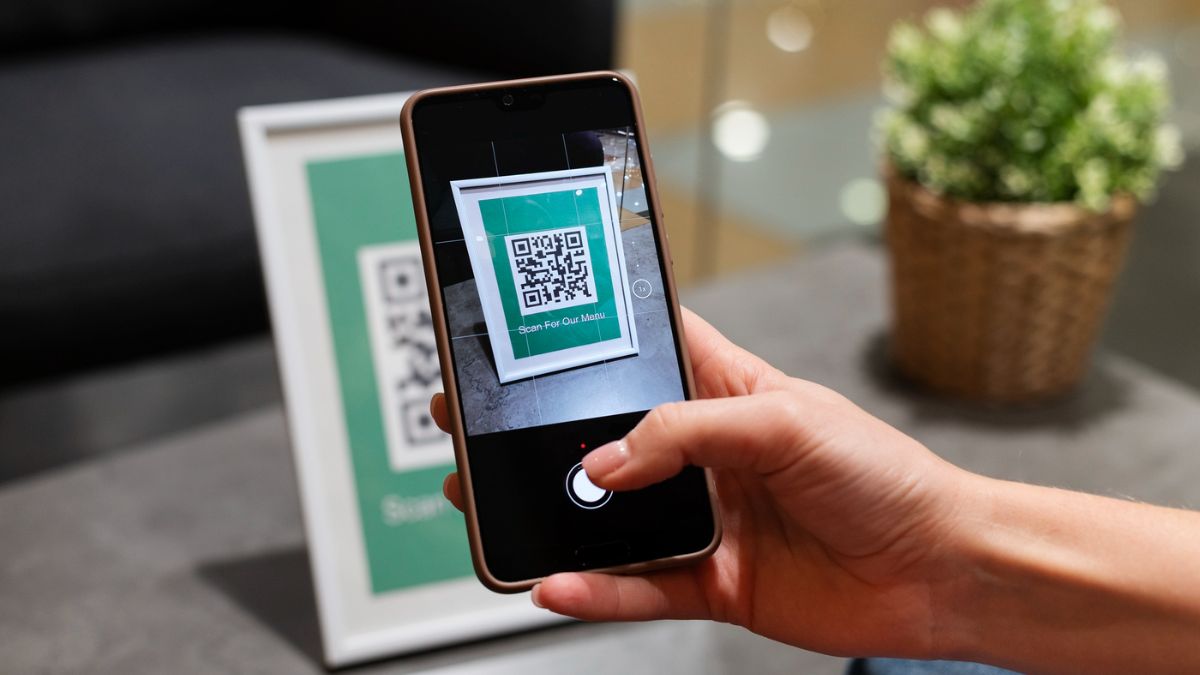
In 2025, customer reviews matter more than ever for every business in India. Whether you are running a café in Delhi, a boutique in Mumbai, or a tech startup in Bangalore, your Google Reviews decide how customers perceive you. Learning how to generate QR code for Google review has now become a game-changer. When customers can scan a code and directly land on your Google review page, it removes friction and makes it easy for them to share their feedback instantly. This simple step can significantly boost local SEO, improve customer trust, and create a stronger online presence. Businesses are already adopting this approach, and by the end of 2024, more than 65% of Indian local businesses will have started integrating review QR codes at physical and digital touchpoints.
- 1. Understanding the Importance of Google Reviews in 2025
- 2. What is a Google Review QR Code?
- 3. Why Businesses in India Should Use Google Review QR Codes
- 4. How to Generate QR Code for Google Review – Step by Step
- 5. Top Use Cases of Google Review QR Codes in India
- 6. Free vs Paid Options for Google Review QR Codes
- 7. Integrating Google Review QR Codes into Your Marketing Strategy
- 8. The Role of QR Codes in Building a Digital Reputation
- 9. Common Mistakes to Avoid While Creating Google Review QR Codes
- 10. The Future of Google Review QR Codes in India
- Conclusion – Key Learnings
- About Hobo.Video
1. Understanding the Importance of Google Reviews in 2025
Google Reviews are not just feedback; they are public proof of your credibility. According toWiserNotify2025 reports, in India, 87% of consumers read online reviews before choosing a local service. A single positive review can attract dozens of new customers. On the other hand, missing reviews or negative ones can push people away. When combined with easy access via QR codes, reviews become more seamless and powerful.
2. What is a Google Review QR Code?
A Google Review QR Code is a scannable digital code that takes customers directly to your Google Business Profile review page. Instead of searching for your business on Google and navigating through multiple clicks, the QR code shortcut saves time. In 2025, QR codes are no longer a novelty—they are integrated everywhere from restaurant menus to payment apps like Paytm and PhonePe. Businesses are now using them to enhance customer engagement with Google QR review codes.
3. Why Businesses in India Should Use Google Review QR Codes
3.1 Boost Local SEO with Google Review QR Codes
Google prioritizes businesses with consistent and genuine reviews. A higher review count with positive ratings improves visibility in local search results. By placing a QR code at your store, invoices, or digital campaigns, you can increase the number of reviews naturally. This, in turn, boosts your chances of ranking higher on Google Maps searches.
3.2 Customer Engagement with Google QR Review Codes
Customers prefer convenience. If the process of leaving a review takes longer than a minute, many people drop off. With a QR code, you remove the barrier. For example, a Bangalore café reported a 40% increase in reviews after integrating QR codes at its billing counters. This shows how small actions can transform engagement.
3.3 Brand Trust and Credibility
Reviews are the modern-day word-of-mouth. In India, 9 out of 10 people trust online reviews as much as personal recommendations. When customers see that leaving a review is easy and quick, they are more likely to share positive feedback. More reviews also balance out the occasional negative comment, protecting your reputation.
4. How to Generate QR Code for Google Review – Step by Step
4.1 Step 1 – Get Your Google Business Profile Review Link
First, sign into yourGoogleBusiness Profile. Under the “Get More Reviews” section, you will find a direct link. This is your unique review link that customers can use. Copy this link for the next step.

Amplify Your Brand,
One Influence at a Time.
4.2 Step 2 – Use a Google Review QR Code Generator
Next, you need a tool. You can use a Google review QR code generator, which allows you to paste your link and create a scannable code in seconds. Many platforms provide free versions, but premium versions allow customization with your brand colors and logo.
4.3 Step 3 – Customize Your QR Code
Creating a unique design makes your QR code stand out. You can add your brand colors, embed your logo, or even create a call-to-action like “Scan to Leave a Google Review.” This step improves customer response rates and makes the QR look professional.
4.4 Step 4 – Test Before Sharing
Always test your QR code on multiple devices before printing or sharing. This ensures there are no errors, and customers are directed to the right Google review page. A small error here can affect customer trust.
4.5 Step 5 – Share Across Touchpoints
Place your QR code on receipts, store counters, product packaging, WhatsApp campaigns, and even digital ads. The more visibility your code gets, the more reviews you can collect. Many businesses even place it on their website as a “Leave Us a Review” option.
5. Top Use Cases of Google Review QR Codes in India
5.1 Restaurants and Cafes
Many restaurants in India now print QR codes on tables and bills. A Delhi café reported collecting 500+ reviews in six months after using QR codes. This practice also helps staff focus on service instead of constantly reminding customers to leave reviews. Additionally, it builds a culture where reviews become a natural extension of the dining experience.
5.2 Retail Stores
Clothing and electronics shops often add review QR codes on receipts.Customerscan scan them while checking their purchase, making reviews part of the shopping experience. This method creates a sense of immediacy where customers review products while the excitement is fresh. Over time, it also helps brands gather feedback trends on product quality and service.
5.3 Healthcare Clinics
Doctors and clinics are using QR codes at reception desks to collect patient feedback instantly. This helps them improve trust and transparency. Patients often prefer giving private feedback digitally rather than sharing it openly, making QR codes ideal. Clinics also use this data to improve services and monitor patient satisfaction over time.
5.4 Online Sellers and D2C Brands
With e-commerce booming in India, brands now add QR codes on packaging. Customers can scan and leave reviews right after receiving their orders. This strategy taps into the excitement of unboxing, leading to more authentic reviews. It also helps D2C brands compete with big marketplaces by building direct customer trust.
6. Free vs Paid Options for Google Review QR Codes
6.1 Free QR Code for Google Review Link
Free generators are quick and accessible. They are ideal for small businesses testing out the process. However, free tools often have restrictions like no design customization and a lack of analytics. While they are helpful for beginners, scaling businesses may find them limiting in the long run.
6.2 Paid QR Code Solutions
Paid solutions allow better designs, track scans, and offer branding features. For growing businesses, investing in a premium QR code generator can deliver higher ROI. These solutions also provide customer behavior insights through analytics, helping businesses refine marketing strategies. Moreover, the ability to update QR destinations without reprinting saves both time and money.
7. Integrating Google Review QR Codes into Your Marketing Strategy
Businesses in India often overlook reviews while focusing heavily oninfluencer marketingor social ads. However, reviews build long-term trust. You can combine QR codes with influencer campaigns by asking influencers to share scannable review codes with their followers. Brands can also use UGC videos to show customers scanning codes and leaving reviews, making it a part of storytelling.
8. The Role of QR Codes in Building a Digital Reputation
In 2025, your digital reputation directly impacts business growth. With customers spending 4+ hours daily on their smartphones, making reviews accessible through QR codes aligns with natural consumer behavior. The more reviews you collect, the more your Google Business Profile stands out.
9. Common Mistakes to Avoid While Creating Google Review QR Codes
- Using a generic QR code without branding can reduce engagement.
- Not testing the code before printing can lead to errors.
- Hiding QR codes in less visible places decreases customer interaction.
- Asking customers aggressively for reviews can harm credibility.
10. The Future of Google Review QR Codes in India
As digital adoption rises, QR codes will continue to evolve. With AI influencer marketing and platforms likeHobo.Videoshaping brand strategies, QR codes will play a major role in connecting offline customers to online reviews. India’s influencer-driven economy, valued at over ₹1,800 crore in 2024, shows how much digital trust matters. Businesses that adopt QR review codes early will lead in 2025.
Before you go, discover 10 Instagram story viewer hacks.Read here.
Conclusion – Key Learnings
- Learning how to generate a QR code for Google review simplifies customer engagement.
- QR codes help boost local SEO and attract new customers.
- Free and paid QR code solutions both have unique benefits.
- Proper placement and testing are essential for results.
- Combining reviews with influencer marketing and UGC videos amplifies impact.
About Hobo.Video
Hobo.Video is India’s leading AI-powered influencer marketing and UGC company. With over 2.25 million creators, it offers end-to-end campaign management designed for brand growth. The platform combines AI and human strategy for maximum ROI.
Services include:
- Influencer marketing
- UGC content creation
- Celebrity endorsements
- Product feedback and testing
- Marketplace and seller reputation management
- Regional and niche influencer campaigns
Trusted by top brands like Himalaya, Wipro, Symphony, Baidyanath, and the Good Glamm Group.
If you’re a brand ready to break the mold and achieve hypergrowth, we’re already on your wavelength.Let’s build something powerful together.
Ready to grow your influence and earn while doing what you love?Join the fam.
FAQs
Q1. Why should I use a QR code for Google reviews?
QR codes make it easier for customers to leave feedback without extra effort. This improves engagement and increases review counts naturally.
Q2. Is it free to create a Google Review QR code?
Yes, many tools allow free QR code generation. However, premium versions offer advanced branding and tracking features.
Q3. Where can I place my Google Review QR code?
You can add it to receipts, packaging, store walls, websites, and even social media campaigns. Visibility is key to effectiveness.
Q4. Do QR codes help improve SEO?
Indirectly, yes. More reviews boost your Google Business Profile visibility, which improves local search rankings.
Q5. Can QR codes be customized?
Yes, you can design QR codes with brand colors, logos, and call-to-action messages to attract more scans.

 Vishnumaya