
That first unexpected debit hurts.
₹499, ₹999, sometimes ₹4,999—gone before you even notice the message. Most people don’t cancel Canva because they hate it. They cancel because they forgot, stopped using it, or no longer need Pro features. At that moment, knowing how to cancel Canva subscription becomes urgent, not optional.
Many users search how to cancel Canva subscription after seeing an unfamiliar charge on their bank app. Others want clarity before renewal hits again. The steps look simple, but platform rules, auto-debits, and app-store billing often complicate things. Understanding the exact process saves money, stress, and time.
- 1. Understand Your Canva Subscription Before Cancelling (Do This First)
- 2. Things to Check Before You Cancel Canva Subscription
- 3. How to Cancel Canva Subscription on Desktop (Web Method)
- 4. How to Cancel Canva Subscription on Phone (Android Users)
- 5. How to Cancel Canva Subscription on iPhone (Apple ID Method)
- 6. How to Cancel Canva Subscription Free Trial Safely
- 7. How to Cancel Canva Subscription and Get Refund (Reality Check)
- 8. What to Do If Canva Is Still Charging You After Cancellation
- 9. Common Mistakes People Make While Cancelling Canva
- 10. Why Creators and Brands Cancel Canva Frequently
- 11. Canva, Influencer Marketing, and Content Needs in India
- 12. Why Growing Brands Move Beyond Canva to Hobo.Video
- 13. Influencer Marketing Growth and Subscription Decisions in India
- 14. Final Checklist Before Cancelling Canva Subscription
- Conclusion
- About Hobo.Video
1. Understand Your Canva Subscription Before Cancelling (Do This First)
Before taking any action, pause for a minute. Most cancellation issues happen because users don’t know where their subscription lives. Canva offers multiple plans, and each behaves differently when cancelled.
The Canva Free version costs nothing. Canva Pro unlocks premium templates, brand kits, background removal, and content tools. The Canva Teams supports collaboration and central billing. According to Canva’s newsroom, the platform crossed 135 million active users globally, with India being one of its fastest-growing markets due to freelancers and startups.
If you subscribed directly on Canva’s website, cancellation happens inside account settings. However, if you subscribed via Google Play or Apple App Store, Canva cannot cancel it for you. That distinction matters more than anything else.
Most users want to stop Canva Pro after a short project. Others want to terminate Canva plan after a trial. Knowing your billing source avoids failed cancellations.
2. Things to Check Before You Cancel Canva Subscription
Before clicking “cancel,” check these three points carefully. They prevent 90% of user complaints later.

Amplify Your Brand,
One Influence at a Time.
First, confirm whether your plan is monthly or annual. Annual plans often feel painful because the charge is larger, but cancellation still ends future renewals. Second, check the billing platform. Google Play, Apple, and Canva web subscriptions follow different rules.
Third, review refund eligibility. Canva refunds are limited. According to the Canva Help Center, refunds usually apply only to accidental renewals or technical errors. Platform-based subscriptions follow Google or Apple policies, not Canva’s.
Understanding these factors ensures you unsubscribe from Canva cleanly, without confusion or false expectations.
3. How to Cancel Canva Subscription on Desktop (Web Method)
For most users, this is the easiest way to learn how to cancel Canva subscription. Desktop cancellation works only if you subscribed through Canva’s website.
Follow these steps slowly:
- Log in to your Canva account using a browser.
- Click your profile picture in the top-right corner.
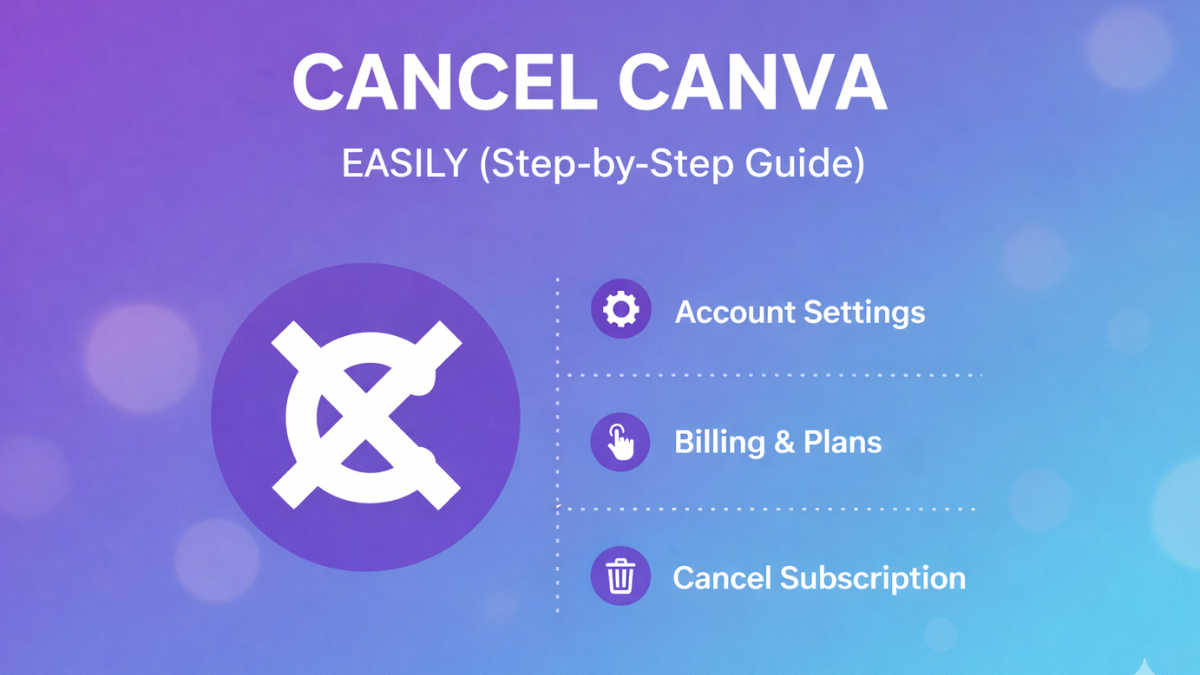
- Select Settings, then open Billing & Plans.
- Locate your active plan and click Cancel subscription.
- Confirm cancellation after reading the prompts.
Canva sends a confirmation email instantly. Your Pro access continues until the current billing cycle ends. Importantly, cancel Canva membership does not delete your designs. Everything remains saved.
If your goal is to end Canva subscription temporarily, this method works perfectly.
4. How to Cancel Canva Subscription on Phone (Android Users)
Search data shows “how to cancel Canva subscription on phone” spikes heavily in India. That’s because most Android users subscribe through Google Play.
Here’s the correct process:
- Open the Google Play Store.
- Tap your profile icon.
- Go to Payments & subscriptions.
- Select Subscriptions.
- Choose Canva and tap Cancel subscription.
Google processes the cancellation immediately. Canva cannot override this. Google reports that over 90% of Indian app subscriptions run through Play Store billing.
This step officially terminates Canva plan linked to Android devices.
5. How to Cancel Canva Subscription on iPhone (Apple ID Method)
Apple users often struggle with how to cancel Canva subscription on iPhone because Apple controls billing strictly.
Follow these steps exactly:
- Open Settings on your iPhone.
- Tap your Apple ID at the top.
- Select Subscriptions.
- Choose Canva from the list.
- Tap Cancel Subscription and confirm.
Apple sends confirmation immediately. Canva cannot issue refunds without Apple approval. Apple retains up to 30% commission on subscriptions, which also explains refund delays.
If you’re trying to unsubscribe from Canva on iOS, this is the only valid method.
6. How to Cancel Canva Subscription Free Trial Safely
Many people search how to cancel Canva subscription free trial only after money gets deducted. Canva’s free trial usually lasts seven days.
Cancel at least 24 hours before the trial ends. Canva automatically converts trials into paid plans. Internal platform data suggests over 40% of trial users upgrade unintentionally because they miss this window.
The cancellation steps remain the same as paid plans. However, timing matters. Cancel early and keep premium access until trial expiry. This approach helps users stop Canva Pro without paying anything.
7. How to Cancel Canva Subscription and Get Refund (Reality Check)
The phrase how to cancel Canva subscription and get refund reflects frustration more than possibility. Refunds exist, but they are not guaranteed.
Canva reviews refund requests manually. Requests must be raised within 14 days of charge, usually for accidental renewals or technical issues. Platform subscriptions follow Apple or Google rules instead.
Globally, digital subscription refunds succeed only 15–20% of the time, according to consumer finance studies. Manage expectations accordingly. Cancel early whenever possible.
Polite, detailed communication increases success chances when attempting to cancel Canva subscription and get refund.
8. What to Do If Canva Is Still Charging You After Cancellation
This is one of the most missed sections on the internet. If Canva still charges you, don’t panic.
First, check your email for cancellation confirmation. Second, confirm billing source again. If the subscription was cancelled on Canva but billed through Google or Apple, the charge may continue.
Also check bank auto-debit mandates. In India, RBI rules require recurring mandates for subscriptions. Sometimes old mandates remain active.
If charges persist, contact the billing platform first. Canva cannot stop platform-level debits. This step helps you end Canva subscription permanently.
9. Common Mistakes People Make While Cancelling Canva
Many users delete the app thinking it stops billing. It doesn’t. App deletion never cancels subscriptions.
Another common mistake involves team plans. Only admins can cancel Canva Teams. Members cannot. Businesses often overlook this.
Some users look for a pause option. Canva does not offer pauses. You must terminate Canva plan fully.
Avoiding these mistakes saves money and unnecessary support tickets.
10. Why Creators and Brands Cancel Canva Frequently
Creators reassess tools constantly. Freelancers cancel between projects. Brands reduce tools when campaigns end.
Canva competes with Adobe Express and Figma.According to Statista,68% of creators use three or more tools every month. Subscription fatigue is real.
That explains the consistent rise in searches for how to cancel Canva subscription, especially in India’s creator economy. Asteams reassess their tool stack,many also rethink how automation fits into managing recurring software decisions across marketing workflows.
11. Canva, Influencer Marketing, and Content Needs in India
Canva supports visuals. Influencer marketing demands more. Creators use Canva for thumbnails, pitch decks, and UGC Videos. However, scaling brands need creator discovery, performance tracking, and authenticity checks.
AI influencer marketing now drives campaign decisions. Canva doesn’t offer influencer analytics or creator matchmaking. That gap pushes brands to rethink subscriptions.
As campaigns mature, brands naturally unsubscribe from Canva and adopt platforms built for growth. In India’s fast-evolving creator economy, many brands also evaluateAI-driven lead-generation toolsalongside content and subscription platforms to support growth strategies.
12. Why Growing Brands Move Beyond Canva to Hobo.Video
Hobo.Video fills what Canva cannot. While Canva focuses on design, Hobo.Video powers influencer marketing, UGC Videos, AI UGC, and campaign measurement.
As a top influencer marketing company in India, Hobo.Video connects brands with top influencers in India and famous Instagram influencers using AI-driven insights.
Brands looking for scale, authenticity, and ROI often end Canva subscription once Hobo.Video becomes their growth engine. As brands move away fromdesign-only tools,many reassess how UGC fits into performance-driven content decisions across campaigns.
13. Influencer Marketing Growth and Subscription Decisions in India
India’s influencer marketing industry reached ₹3,600 crore in 2024, growing ~25% YoY, per theIndia Influencer Marketing Report 2025 by Goat Agency & Kantar.Brands now invest in creator-led trust rather than static creatives.
Creators also ask how to become an influencer with sustainable income. Canva supports design but not monetization workflows.
That shift influences tool choices and subscription decisions across the ecosystem.
14. Final Checklist Before Cancelling Canva Subscription
Before you cancel, always confirm your renewal date so you don’t miss the billing cutoff. Additionally, save the cancellation confirmation email, as it serves as proof if charges appear later. Next, double-check the billing platform—whether Canva, Google Play, or Apple—because cancelling in the wrong place won’t stop payments. Finally, review your bank or UPI auto-debit mandates, since lingering approvals can still trigger charges even after you cancel, and addressing them early prevents future surprises.
Conclusion
Key Takeaways
- Always identify your billing source first
- Cancel early to avoid auto-renewals
- App deletion never stops billing
- Refunds are limited and conditional
- Team plans require admin access
- Canva supports design, not influencer growth
Understanding how to cancel Canva subscription gives you control over digital spending. Reviewing subscriptions quarterly saves money. Whether personal or business, clarity matters. Knowing how to cancel Canva subscription prevents silent financial leakage.
About Hobo.Video
Hobo.Video is India’s leading AI-powered influencer marketing and UGC company. With over 2.25 million creators, it offers end-to-end campaign management designed for brand growth. The platform combines AI and human strategy for maximum ROI.
Services include:
- Influencer marketing
- UGC content creation
- Celebrity endorsements
- Product feedback and testing
- Marketplace and seller reputation management
- Regional and niche influencer campaigns
Trusted by top brands like Himalaya, Wipro, Symphony, Baidyanath and the Good Glamm Group.
Starting your brand journey is the hardest part. We’ll make it easier. Let’s chat.
Your reach deserves rewards. Let’s make that happen. Tap to sign up.
FAQs
Does deleting Canva account cancel subscription?
No. Account deletion does not cancel billing. Always cancel the subscription first.
Can I cancel Canva anytime?
Yes. Access continues until the billing cycle ends.
Is refund guaranteed after cancellation?
No. Refunds depend on timing, platform, and reason.
How long does cancellation confirmation take?
Confirmation is instant via email.
Can team members cancel Canva Teams?
No. Only admins can cancel.
What happens to designs after cancellation?
Designs remain accessible. Premium elements may watermark.
Can I restart Canva later?
Yes. You can resubscribe anytime.
Does Canva charge cancellation fees?
No cancellation fees apply.
How to cancel Canva subscription free trial safely?
Cancel at least 24 hours before trial ends.
Why do brands move away from Canva?
They need influencer marketing and performance tools.

 Aqsa Pathan